The POS first saves every sale on the terminal, then sends it to the cloud. If the internet drops or sending fails, the receipts stay on the terminal. You don't lose any sales, but you only see them in the management page and in your reports once they reach the cloud.
How to spot it#
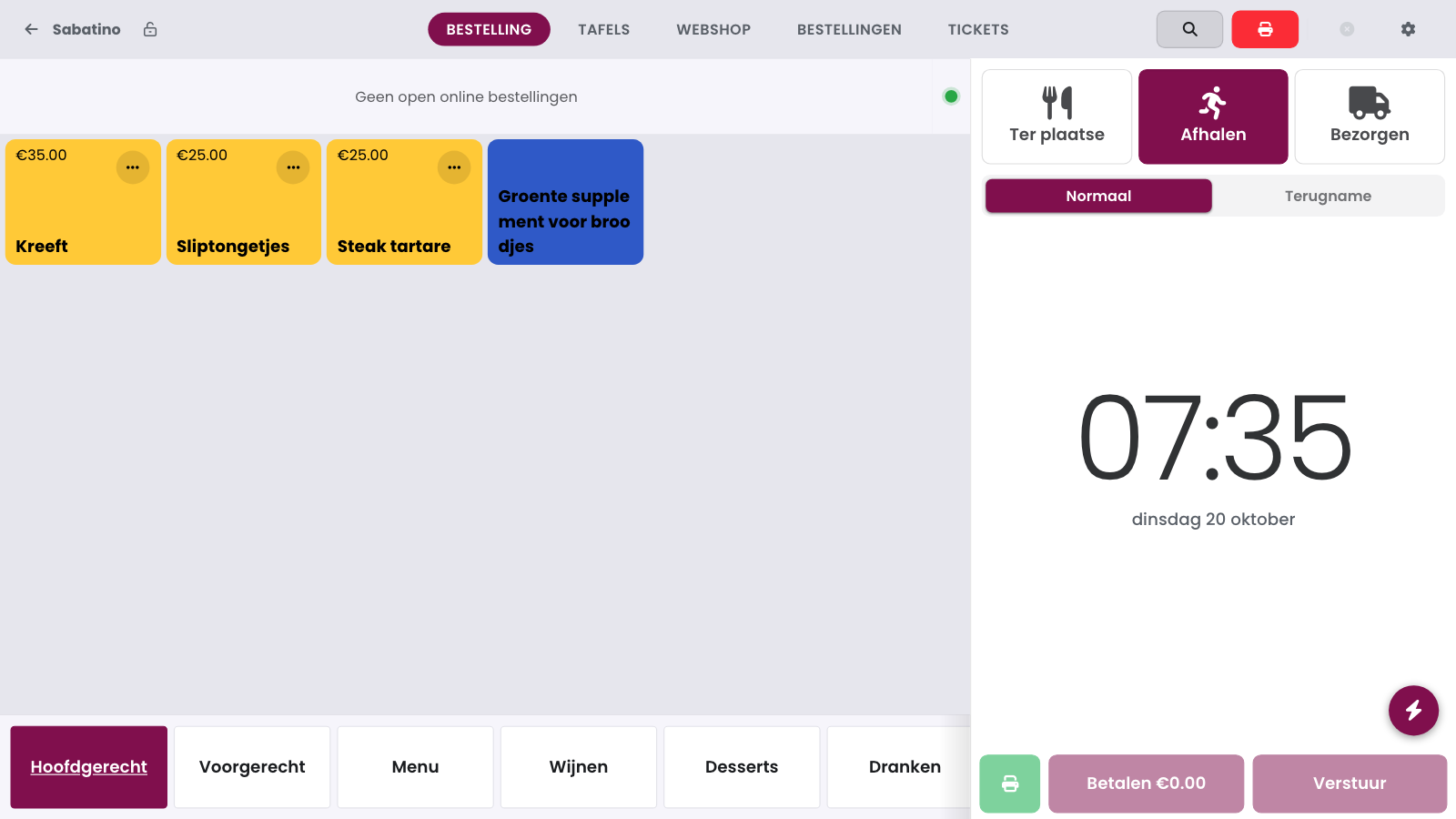
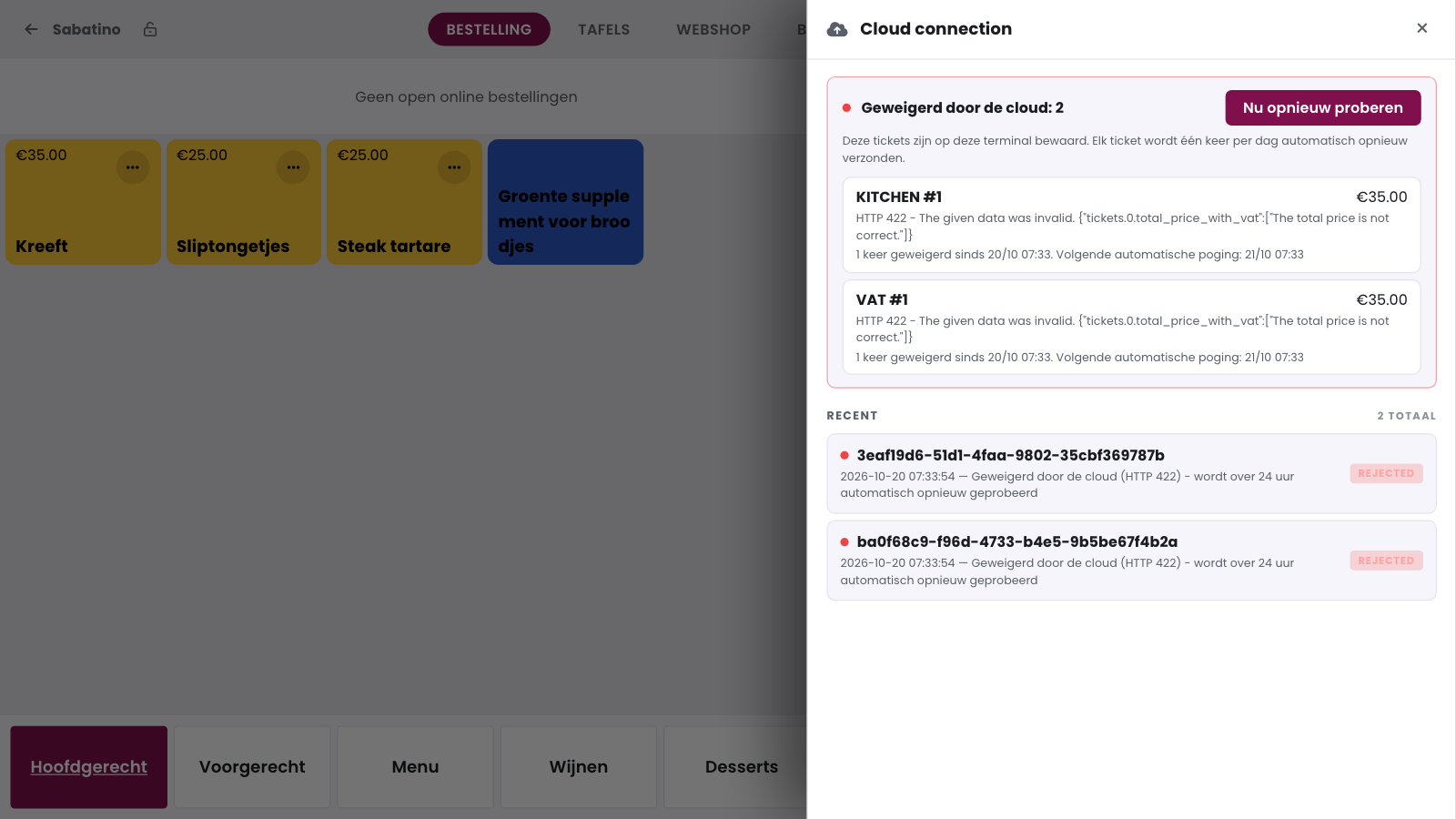
Is there a cross on the cloud button at the top right of the POS? Then the POS didn't reach the cloud. Tap the cloud button: the sidebar shows which receipts are not in the cloud yet.
Tickets to sync: receipts that are still waiting to be sent.
Refused by the cloud: receipts that failed to send. For each receipt, you see the type, the number, the amount, the message and when the next automatic attempt will happen.
How to fix it#
Check the internet connection of the POS: is the wifi on, is the network cable plugged in properly, is your router working? The network check in Health shows whether the POS has a connection.
Tap the cloud button.
Tap Retry now for refused receipts, or Sync all for receipts that are still waiting.
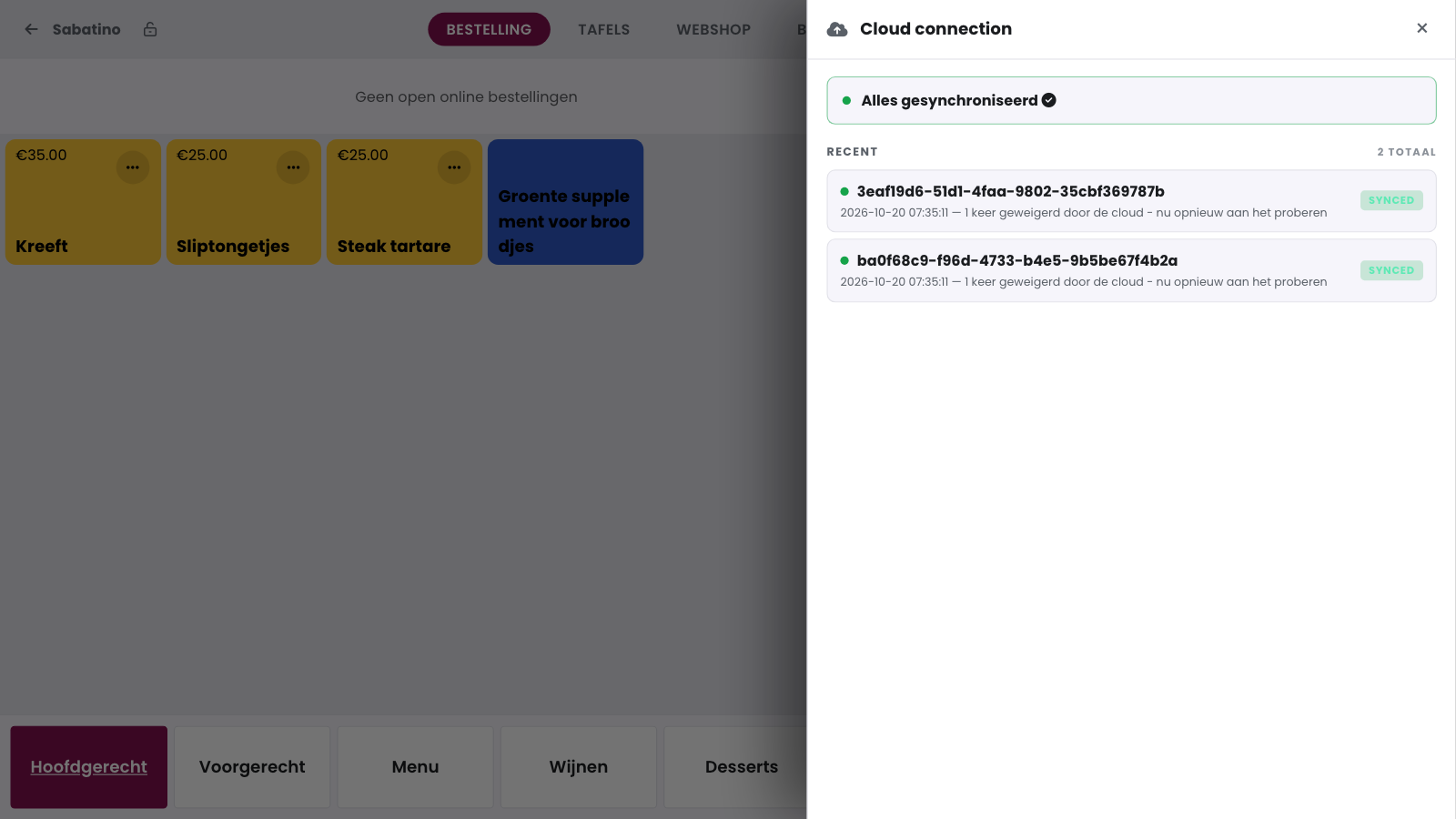
If it works, you see Everything synced and the receipts appear in the management page.
Good to know
The receipts stay saved on this terminal, even if you restart the POS. If you don't tap retry, the POS automatically sends a refused receipt again once a day.
It keeps failing#
If the internet works and a receipt stays refused, the cause is in the receipt data. Note the HTTP status and the message from the sidebar and contact support.
Frequently asked questions
Do I lose a sale if the POS has no internet?
No. The receipt stays saved on the terminal until it reaches the cloud. Only then do you see it in the management page and in your reports.
Why is there a cross on the cloud button?
The POS didn't reach the cloud. Tap the button to see which receipts they are and what went wrong.
I tapped Retry now, but the receipt is still there.
First check the internet connection and try again. If the receipt is still there, note the message from the sidebar and contact support.