With group orders, several customers fill in one basket together in your webshop. One person starts the group and shares a link, colleagues or friends each add their own dishes, and the organiser pays for everything in one go. You receive one order in which every product shows who it is for. Handy for offices, sports clubs or groups of friends ordering lunch together.
How it works for your customer#
Starting the group#
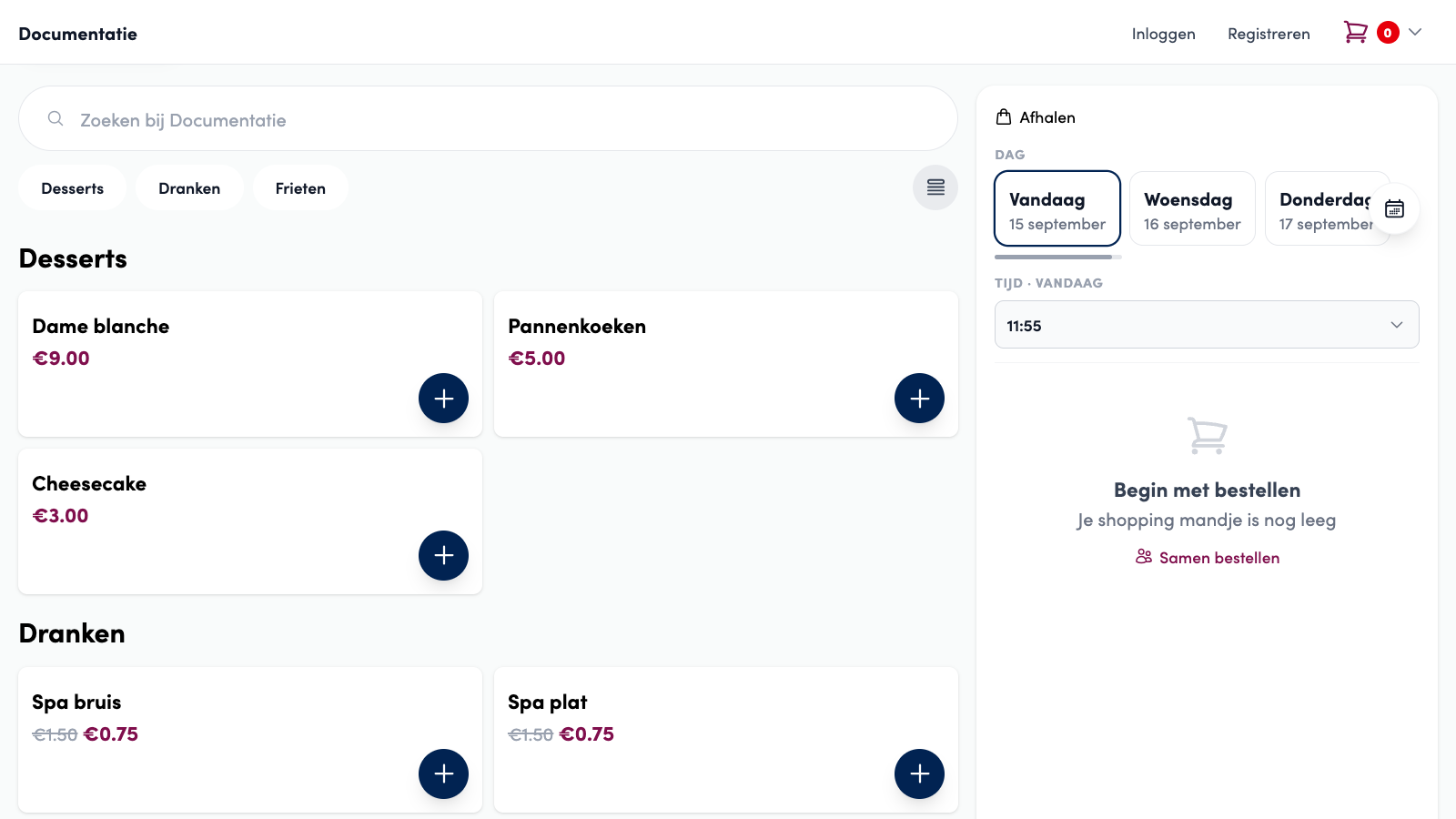
The customer clicks Order together (Samen bestellen) next to the basket (on mobile, in the basket bar at the bottom). Products that are already in the basket go into the group.
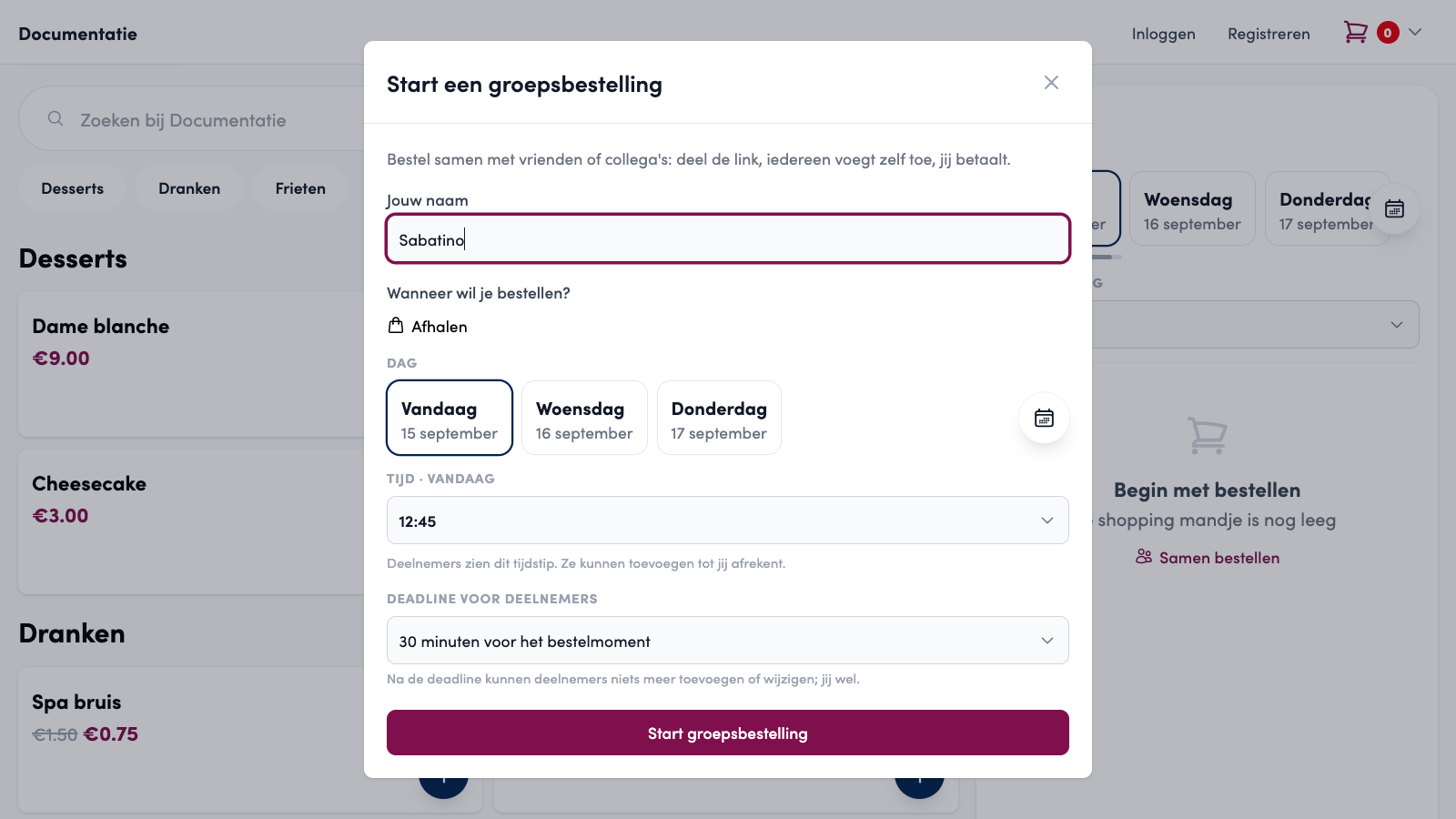
In the Start a group order window, the customer enters a name (not needed with an account) and chooses when the group wants to order: pickup or delivery, the day and the time. All participants can see this time.
Optionally, the customer chooses a Deadline for participants: no deadline, or 15 minutes, 30 minutes, 1 hour or 2 hours before the order time. After the deadline, participants can no longer add or change anything, but the organiser still can.
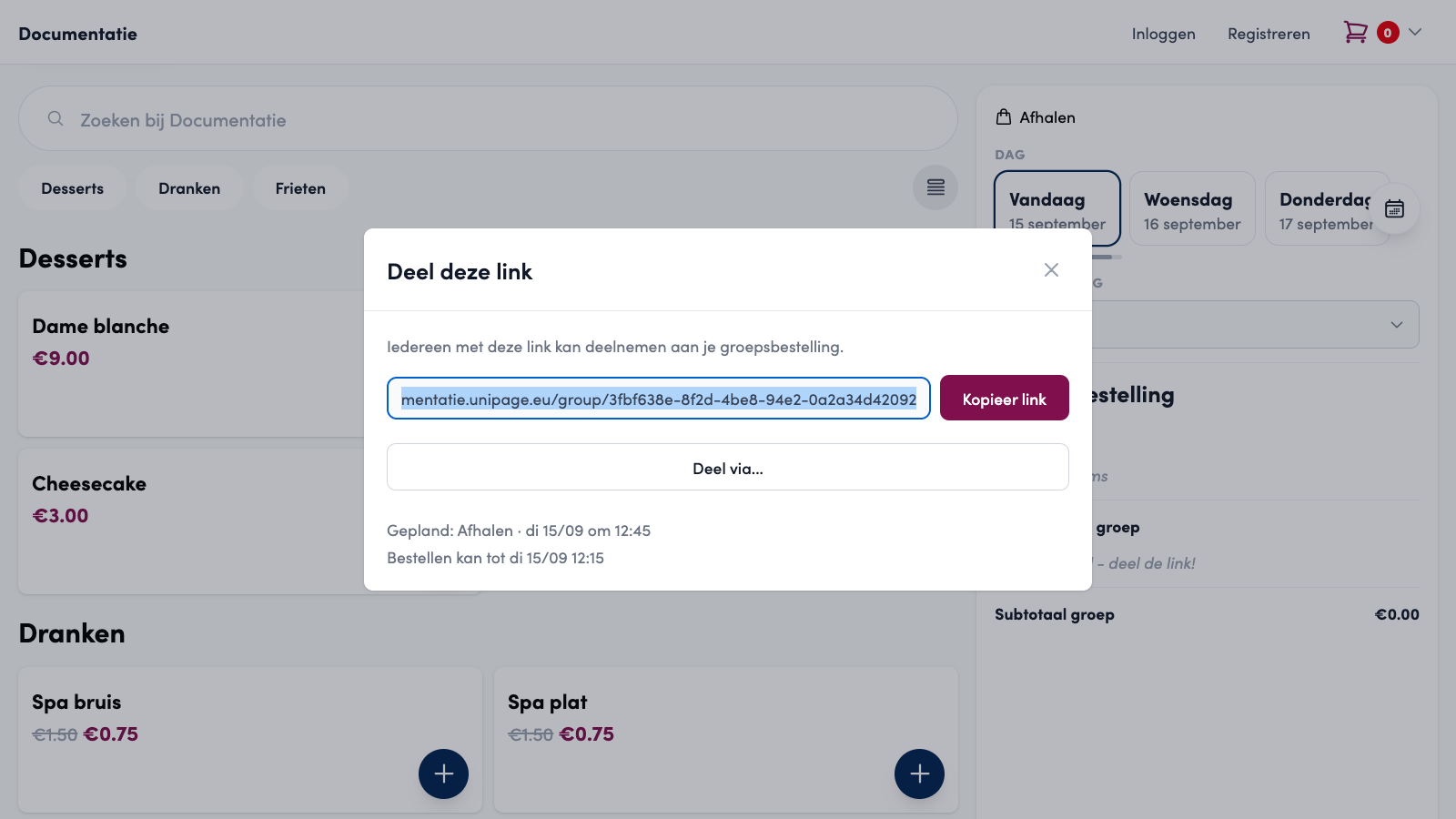
After Start group order, the share link appears. The customer copies it with Copy link or shares it directly via Share via... (for example to WhatsApp on a smartphone).
Joining#
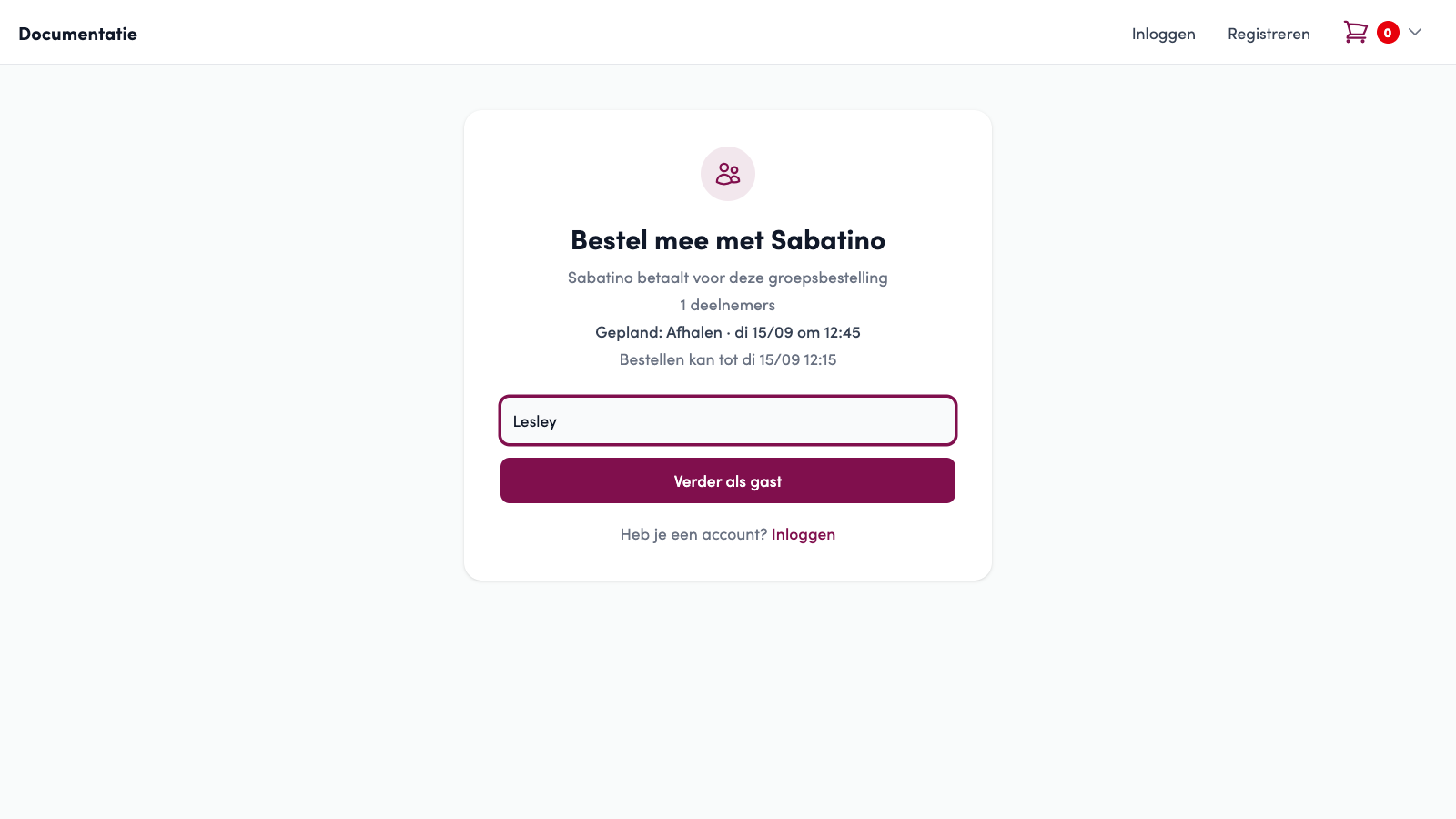
Anyone with the link can join. The join page shows who started the group, how many people have already joined, the scheduled time and the deadline, if there is one. Participants enter their name and click Join (Deelnemen). An account is not needed. Anyone who already had a basket can bring those products into the group.
After that, participants order as usual. Their own products are under Your items, and those of the others are under Others in your group, with the Group subtotal below. Each participant only manages their own items. The organiser sees and manages everything.
Done choosing? With I am done, a participant lets the group know. As long as that status is on, their own basket is locked. Done - still want to change something? switches it off again. Anyone who wants to leave clicks Leave group: their own items then disappear from the group and their previous basket comes back.
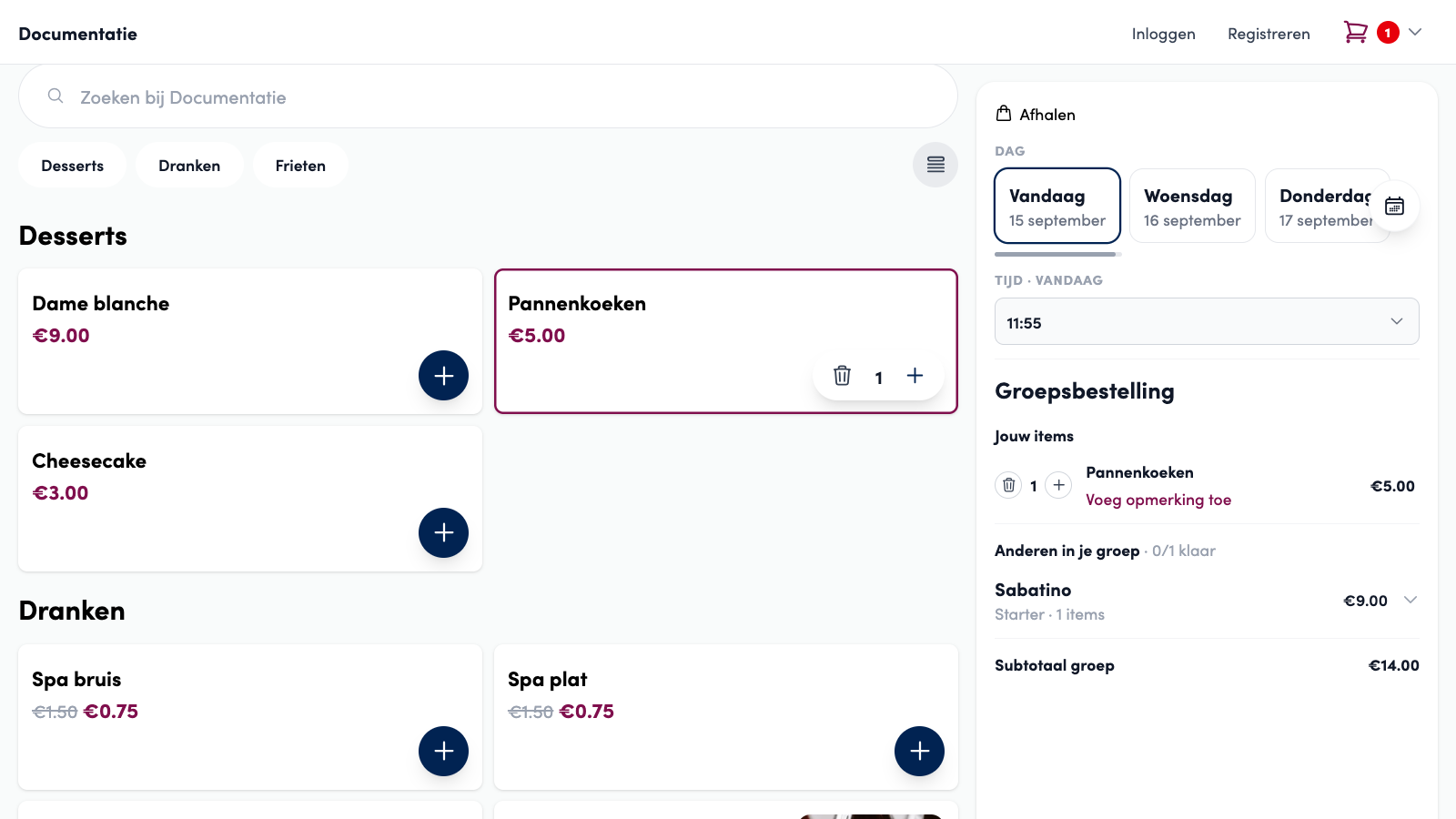
 I am done
Managing and checking out#
Below the webshop bar, the organiser sees the Your group order bar with the number of participants and the deadline. With Manage group (Groep beheren), the organiser can:
remove participants from the group, together with their items,
change the order time and the deadline,
cancel the whole group order, after which everyone gets their own basket back.

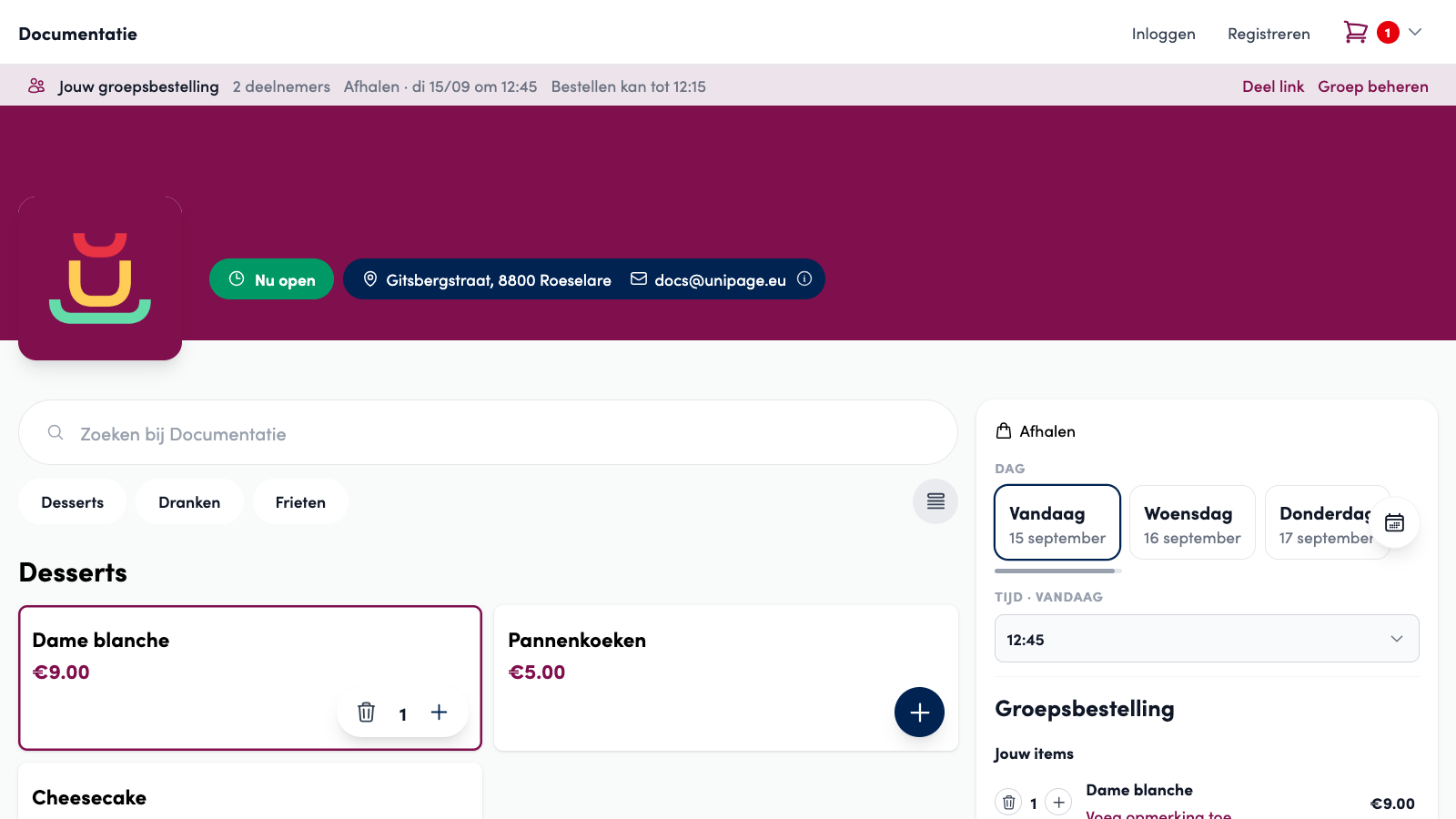
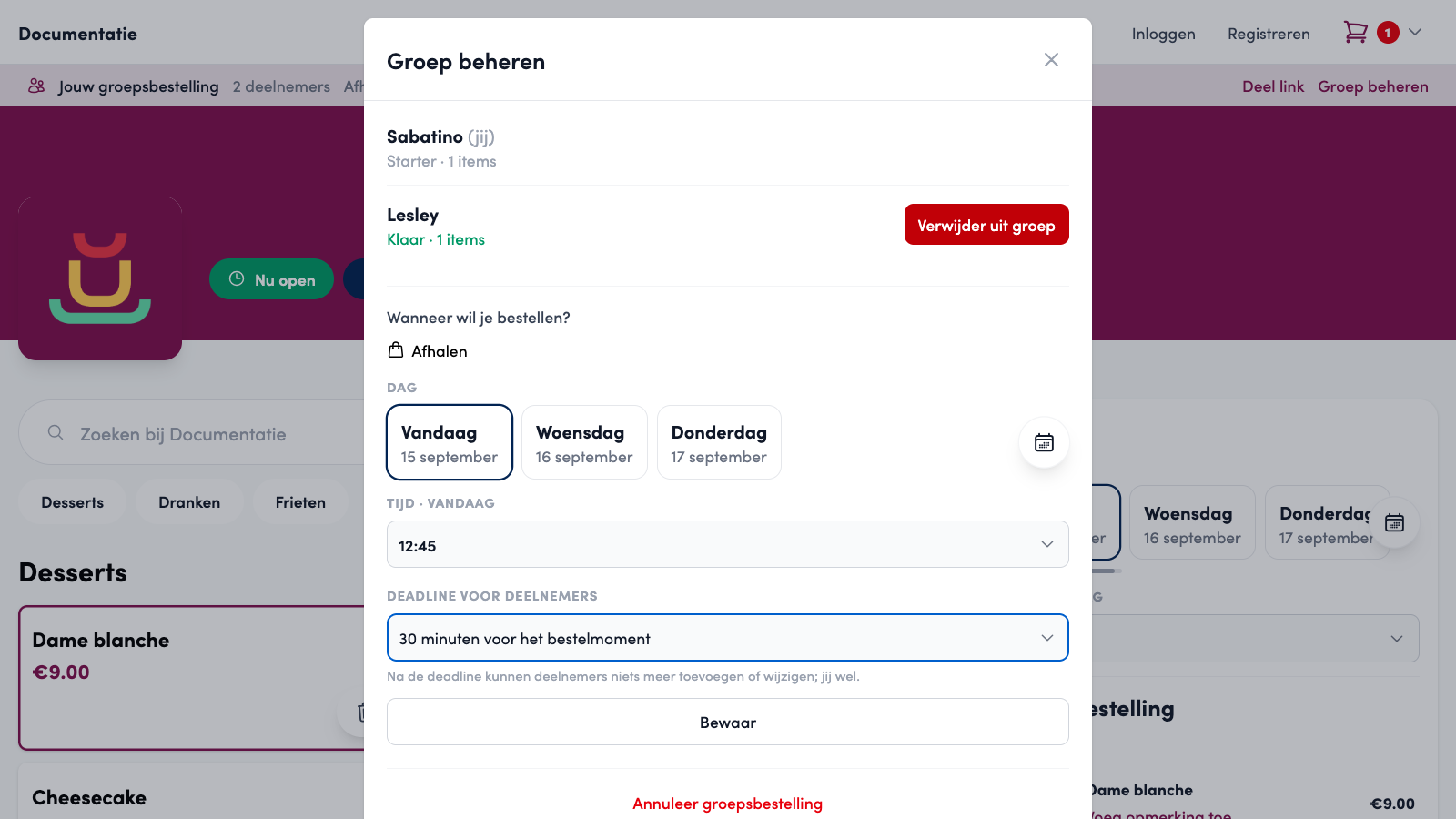
Once everyone is done, the organiser checks out as with a normal order. The checkout shows an overview of the whole group instead of their own basket. Coupons, loyalty points, tip and payment method work as with any other order and apply to the full amount. The thank-you page shows who each product is for.
Tip
If a participant adds something while the organiser is checking out, the webshop asks the organiser to confirm the overview again. That way, no dish ever slips through the cracks.
What you receive#
A group order arrives as one normal order, in the name of the organiser and with one payment. The difference is in the products: each product shows For: name of the participant who chose it. You see that note everywhere you process the order:
in the order overview on the management page and in the confirmation e-mail,
on the kitchen ticket and the VAT receipt of Unipos PLUS, where products of different people are never merged,
on the kitchen screen and in the order app.


Comments from a participant, such as "no onions", stay with the product as normal, separate from the name.
Good to know#
A group has a maximum of 30 participants and can be planned up to 7 days ahead.
If a group is not checked out, it is automatically cancelled after 7 days. Each participant then gets their own basket back.
Participants with an account can rejoin the group on another device. Guests do so again via the share link.
Batch orders or group orders? You set up batch orders for a company that orders from you regularly: fixed delivery rounds with a cutoff, a fixed delivery address and employees who each order and pay separately, bundled per round at your end. A group order is started by the customer, once, with one payment and one order. The two do not combine: a group order follows the normal ordering and delivery settings of your webshop.