People who order from you often don't want to browse your whole menu every time. With Order again, a customer who has ordered from you before sees an extra row at the top of the Webshop with their previously ordered products. One tap on Order, and the product is back in the basket, with the same choices as last time. This lowers the threshold for the next order: regular customers are done in a few taps, and you will notice it in the number of repeat orders.
What your customer sees#
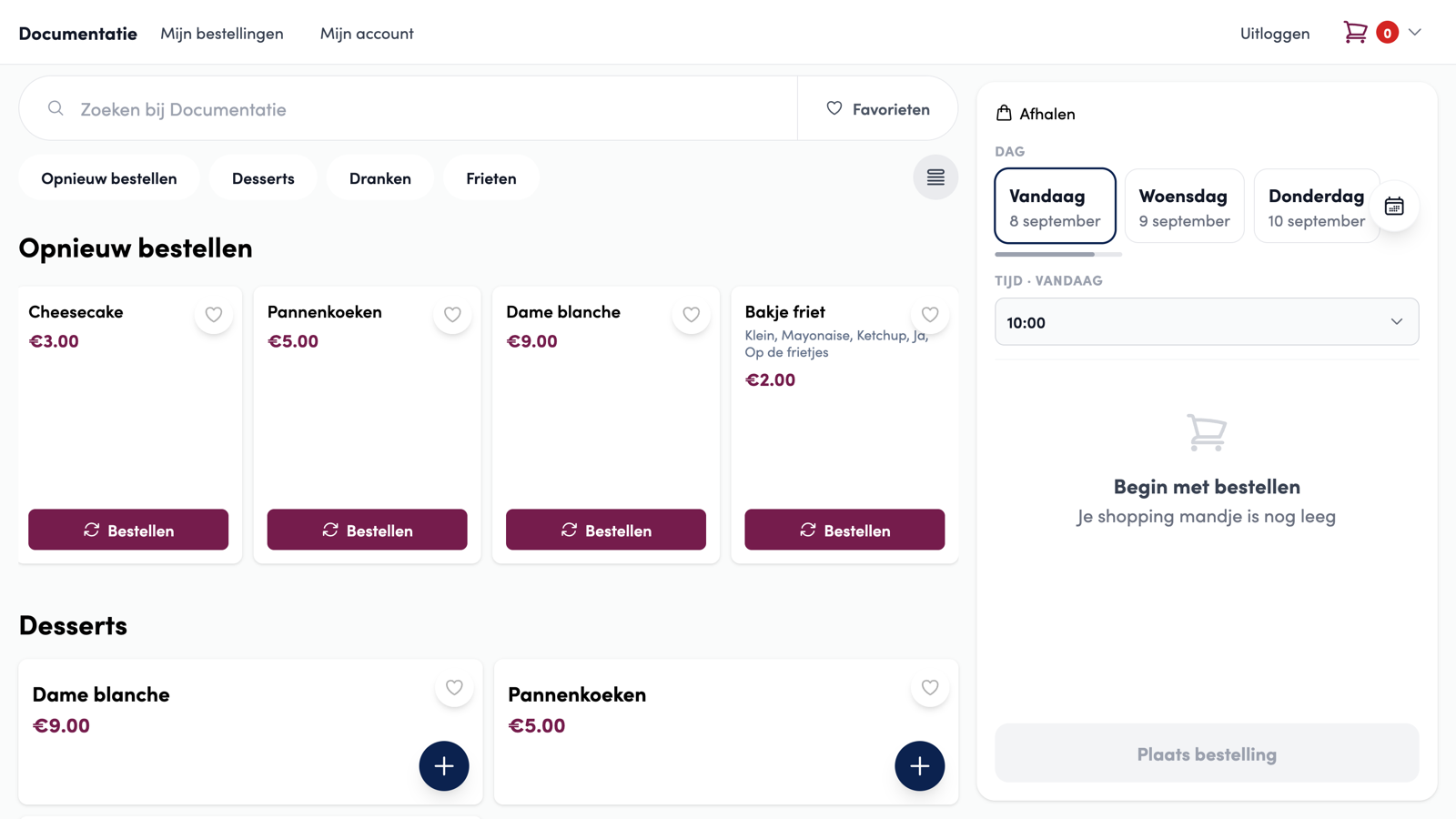
The Order again row appears at the top of the product overview, above your regular categories, and is also the first button in the category bar. It only shows for customers who are logged in and have already placed at least one order with your business. Guests who order without an account never see it.
Each card in the row is a product the customer ordered before, most recent first. Under the product name is a short summary of the choices from the last time, for example "Small, Mayonnaise, Ketchup". The row shows a maximum of eight products.
 1Button in the category bar2Choices from the previous order3Order again straight away
How your customer reorders#
With the Order button on a card, it's quick:
A product without options (a can of cola, a frikandel) goes straight into the basket.
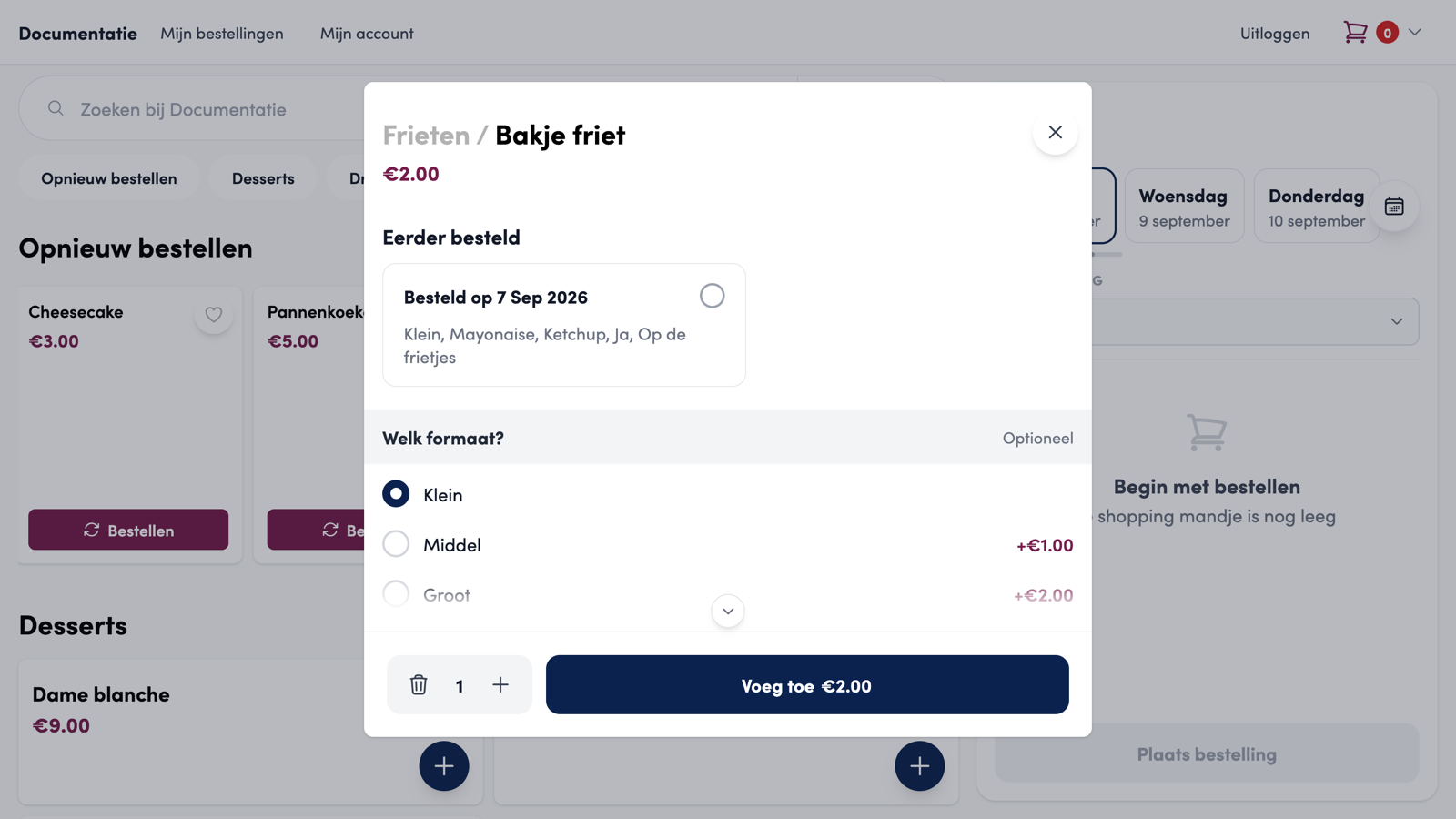
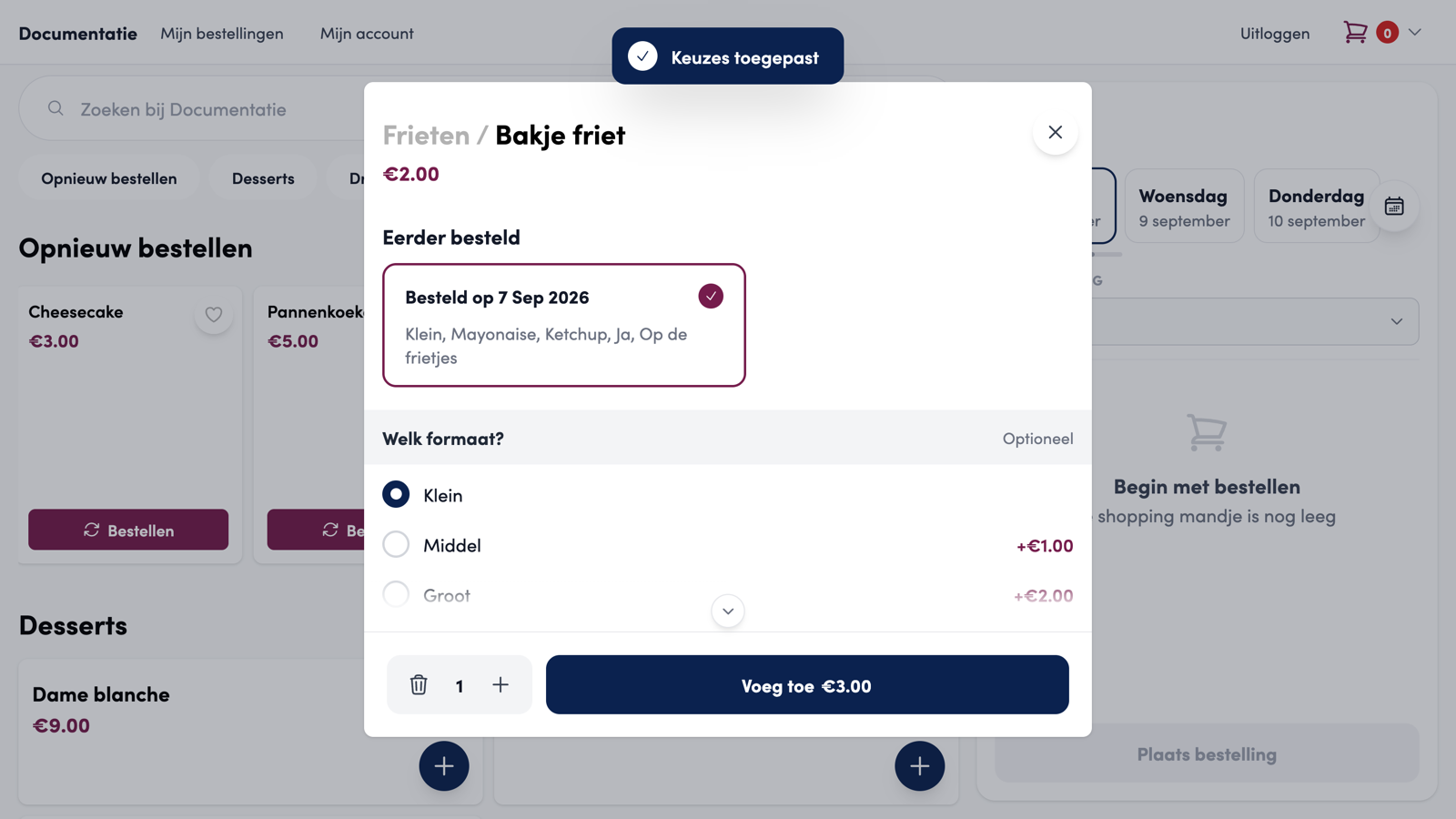
A product with options opens the product window, with the choices from the last order already ticked. The customer sees the message "Selection applied" and can still change those choices before adding.
If the customer taps the card itself instead of Order, the product window simply opens with the default choices.
Why per product and not the whole order?#
It seems logical to simply put the previous order back in the basket in one go. Still, we deliberately chose to reorder per product, for three reasons:
The choices matter most. At a chip shop or restaurant, the difference is in the options: small or large, with or without sauce. For each product, we show exactly that combination from last time, and the customer deliberately confirms it in the product window.
An order is rarely identical. Last time the customer ordered for the whole family, today only for themselves. Per product, they choose what they want today, without first having to remove products from a full basket.
Your menu changes. Products disappear, options change, prices change. Putting a whole order back blindly would silently put something different in the basket than the customer expects. Per product, you see straight away what is still possible and what is not.
Does a customer still want to repeat a previous order in one go? On the My orders page, they open that order and tap Order again. A window opens with every product from that order as a separate line, with the choices and quantity from back then already filled in. Here too, it stays per product: the customer checks each line, adjusts the options via Change options, changes the quantity or sets a line to zero to drop it.
Only when every line is complete can they continue with Add to basket. If a required choice is missing, for example because an option from back then no longer exists, that line shows "Make another choice" and the window points them to it. Products that are no longer available are listed, but are not included. Then everything goes into the basket in one go and the customer lands straight on the checkout page.
Previously ordered in the product window#
Did a customer order the same product several times, with different choices? Then the product window shows a Previously ordered block at the top with the last five combinations, each with the date of that order and the chosen options. This block also appears when the customer opens the product through your regular menu, not only through the Order again row.
One tap on a combination applies those choices to the product, with the message "Selection applied". Tapping the same combination again undoes the choice and puts the product back to the default choices.
What if your menu has changed in the meantime?#
The row always follows your current menu:
A product you removed from your menu disappears from the row.
A product that is not available today or is out of stock stays visible but gets an overlay, and the Order button is disabled.
If an earlier combination contains an option you have since removed or made unavailable, that combination shows a warning "Some options are no longer available". The customer can still apply it, but the missing option is skipped.
Prices always come from your current menu, never from the previous order.
The row is updated after every new order, so the most recent one is always at the front.
Good to know
While searching your menu or filtering by favourites, the row briefly disappears, so the customer only sees the search results.
Want to know who your regular customers are? On the management page, you can find their order history under Customers.