Besides the settings, there is a daily overview that lets you manage your timeslots down to the moment. Go to Orders, Timeslots (Bestellingen, Tijdsloten) on the management page:
 Maximum number of orders
per timeslotMaximum order amount
per timeslotBlock a timeslot
For each order moment, you see a counter showing how many orders have already come in. Block a moment with the prohibition button, or adjust Max. orders (Max. bestellingen) and the maximum value in euros.
Bulk edit (Bulk bewerken) changes several moments at once. With Show all (Toon alles) you filter which moments you see.
Use the date arrows to browse to another day. With Configuration per weekday (Configuratie per weekdag) you set a default for each weekday.
Is it suddenly getting too busy, or is part of your kitchen out of action? With the quick buttons, you step in with one tap:

A bit busy (Beetje druk) and Very busy (Erg druk) temporarily lower the capacity for the next 2 hours. Stop orders (Stop bestellingen) closes off the next 2 hours completely.
Full capacity (Volledige capaciteit) and Total stop (Totale stop) apply for the rest of the day: everything open again, or everything closed.
With the cogwheel or the Quick buttons (Snelknoppen) button, you decide exactly what each button does.
Locations (Locaties): if you have several locations, you choose at the top which location you are managing.
Are you at the POS? This same screen also opens directly on Unipos PLUS, via the Webshop section on the POS. That way, you can make adjustments from the shop floor, without needing the management page.
Closing a timeslot with unlimited capacity#
Is your capacity set to I want unlimited orders per ... minutes (under Settings, Orders, Order moments)? Even then you can close a timeslot or give it its own limit in the daily overview. Such a change always applies, even with unlimited capacity. The other timeslots stay unlimited.
This is how you close a timeslot:
On the management page, go to Orders, Time slots and pick the day.
Click the prohibition button of the timeslot. The tile turns red and shows Not active.
Click Save.
Your customer no longer sees that time in the webshop.
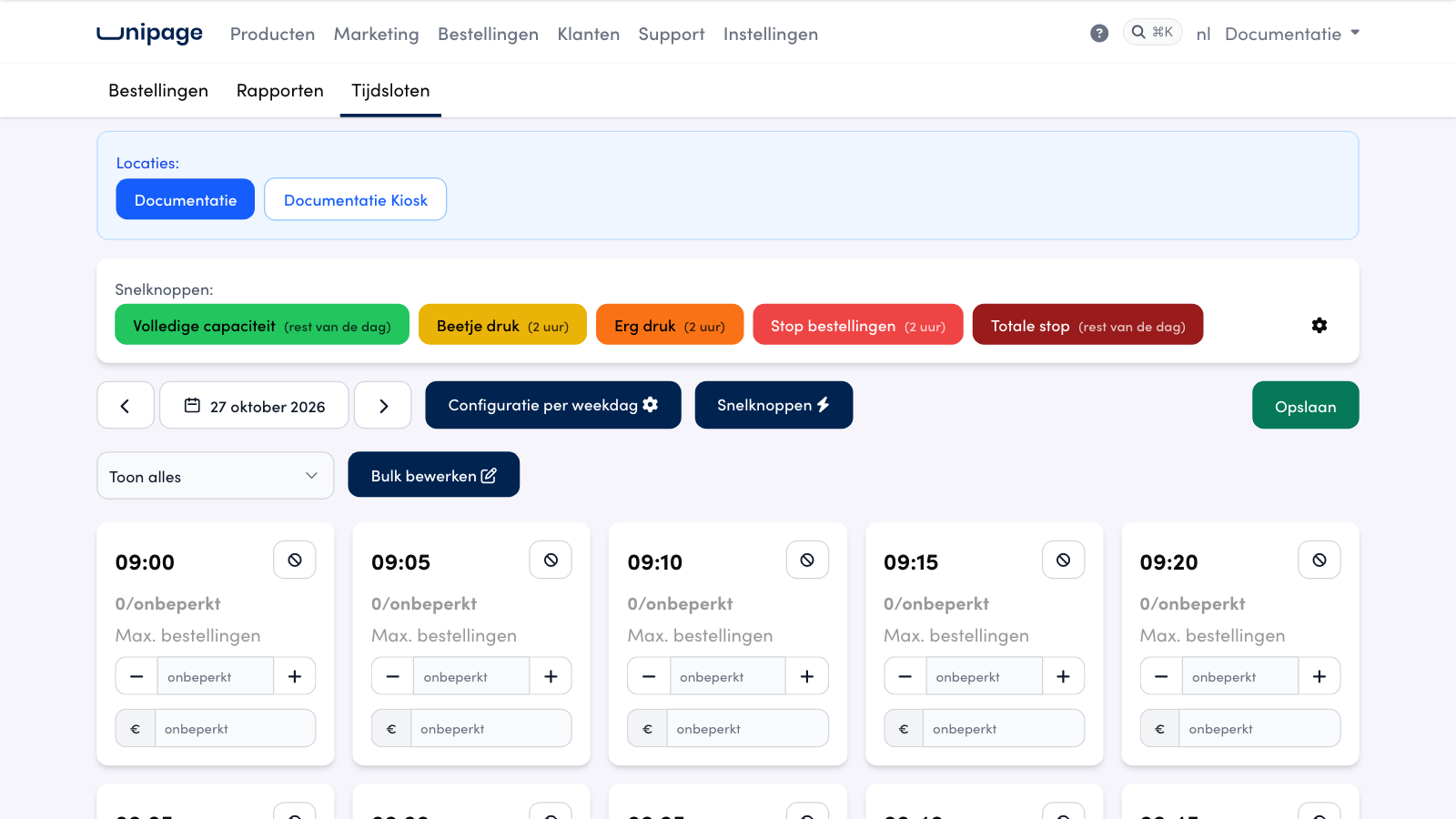
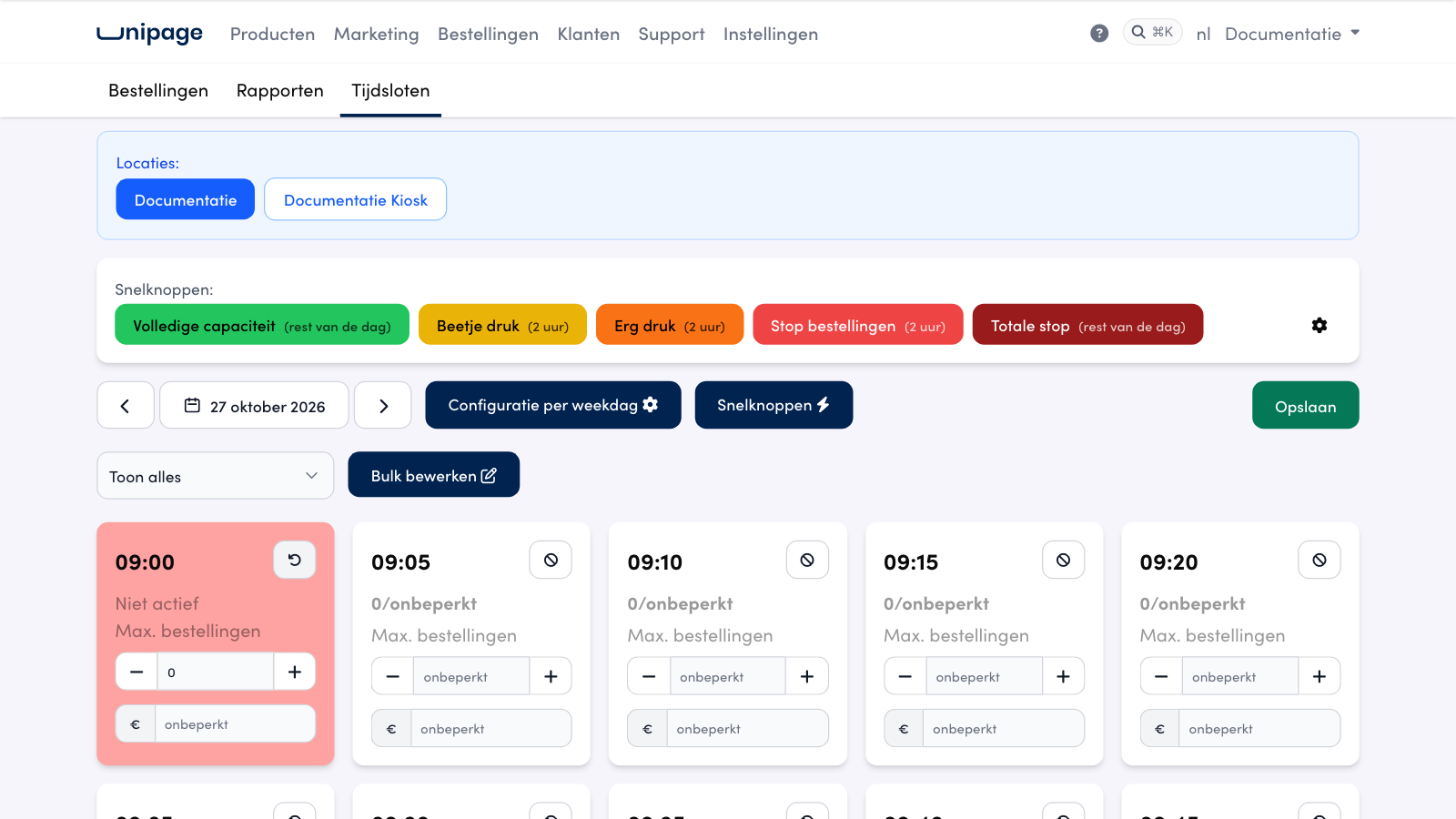
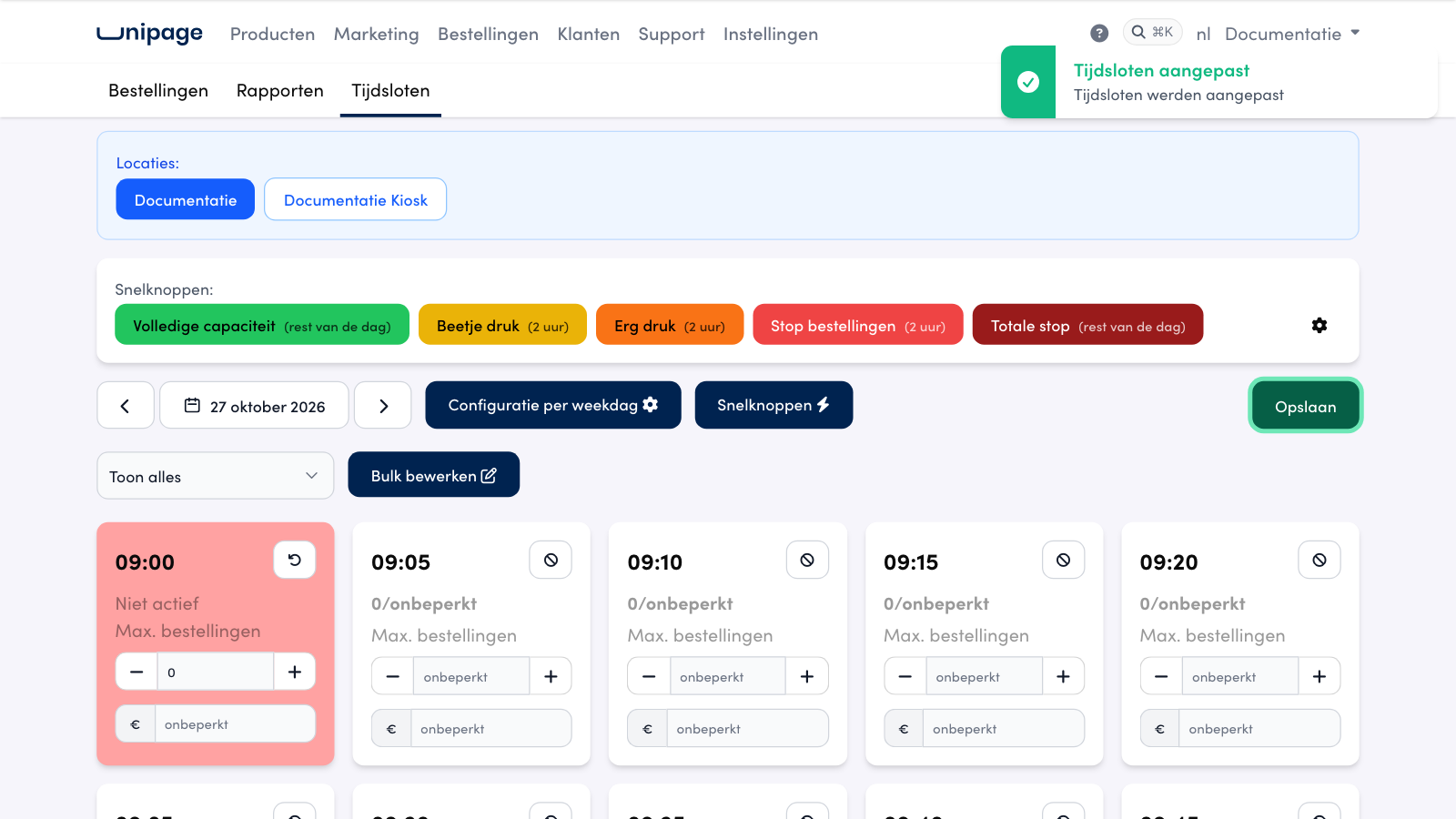
This is what you see in the daily overview with unlimited capacity:
Max. orders and the euro field are empty and read unlimited. The tile shows 0/unlimited.
You close a timeslot with the prohibition button or by entering 0. + makes it 1, - on an empty field keeps it unlimited.
If you only fill in the euro field, the number of orders stays unlimited and only the maximum amount applies.
If you pick Set capacity under Bulk edit, leave the field empty to keep it unlimited. Below the field it says Leave empty for unlimited.
Quick buttons: Beetje druk does not change an unlimited timeslot. Erg druk closes every other timeslot, Stop bestellingen and Totale stop close them all.

Warning
Are there still old limits under Configuration per weekday? They now also apply with unlimited capacity. Adjust or remove them there if you no longer want them.
Frequently asked questions
I closed a timeslot, but a customer could still order it.
Check that the tile shows Not active after Save. The daily overview only shows timeslots that are still to come. If it does not work, contact us.
Do I have to set a maximum to be able to close a timeslot?
No. Your capacity can stay on unlimited. You close a timeslot with the prohibition button or with a typed 0. The other timeslots stay unlimited.